Import your QA test cases, or describe the user journey in plain English. AI takes it from here: builds a real JMeter script, runs it in the cloud at scale, and shows you what breaks.
See the full AI loop on a real scenario. 30 minutes, no commitment.
We'll reach out to set up your demo. Talk soon.




Hand-building JMeter scripts is slow and locks testing behind a couple of specialists.
One run produces hundreds of metrics. Turning them into a decision is still manual work — and that's where most teams stall.
PFLB closes the gap from the first sentence to the final insight.
Import your functional test cases or type the user journey the way you'd explain it to a teammate — log in, search, add to cart, check out. The AI parses it into structured, normalized steps and drops the redundant ones. The more detail you give, the better the script.
Your description becomes a real, editable test. Reorder, duplicate, or remove steps — you keep full control. PFLB validates the flow, capturing screenshots and request details so you can trust it before export. Download the JMX, or keep going.
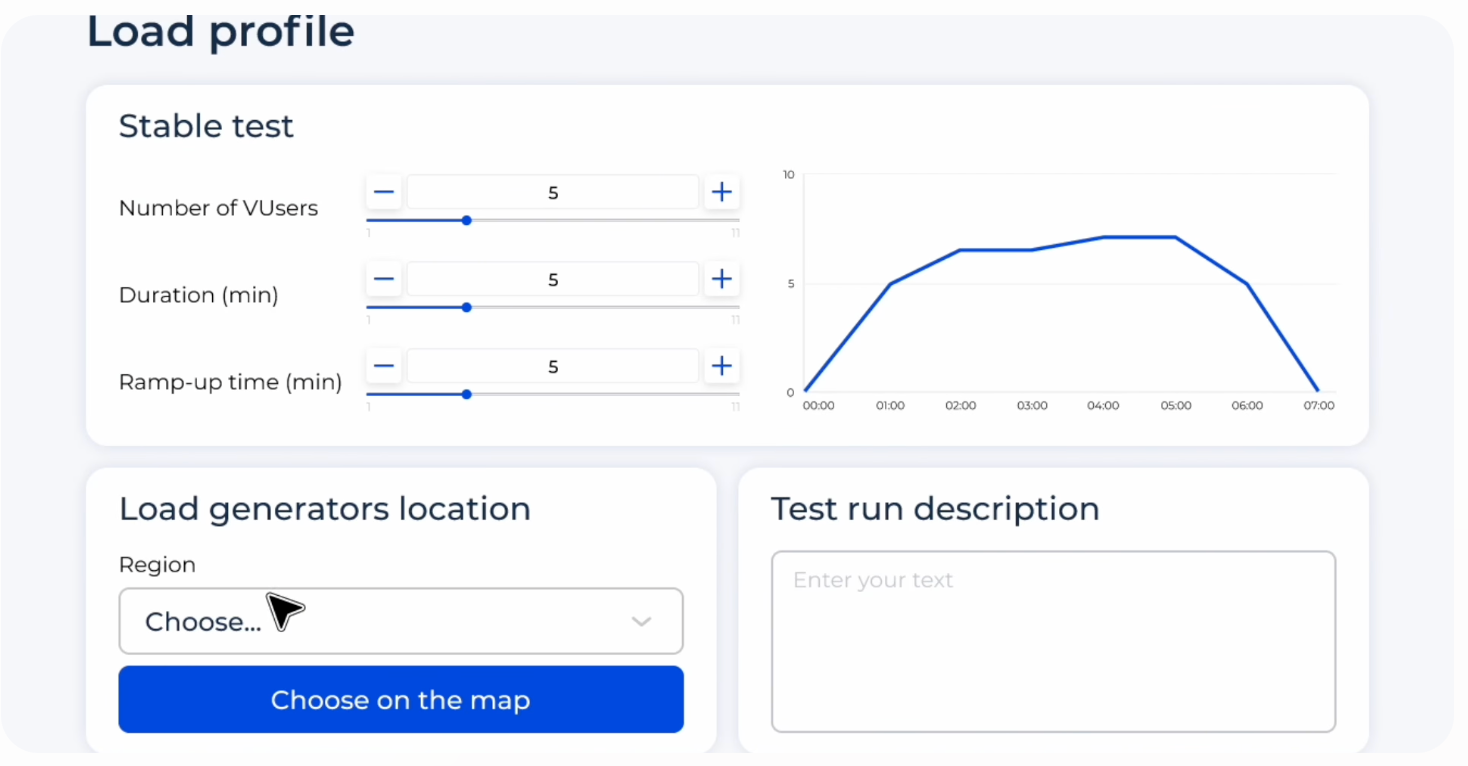
Set the load profile — virtual users, duration, ramp-up — pick your load-generator regions, and launch. No infrastructure to provision; the cloud scales with you. Import existing JMeter, Postman, Insomnia, or HAR files too.
Live graphs update as the test runs. Real-time anomaly detection flags response-time deviations while the load is still climbing — so you catch the break the moment it starts, not in a post-mortem.
PFLB correlates metrics across your stack and surfaces what explains the result. The analysis is done for you, then it's yours to edit and share.
Access our AI load testing platform in the cloud, or deploy the on-premises version. We guide you through setup, step by step.
We implement the full testing process with you — strategy, load emulators, server-side monitoring — then certify your team to run it.
Ensure your applications perform with continuous testing cycles, run by your own team.
Fintech and payments, SaaS, e-commerce, banking — anywhere a slow checkout or a failed transaction is lost revenue, not just a slow page.
Trusted by teams running performance-critical systems




Book a 30-minute demo and we'll run your first scenario together — from a plain-English description to a JMeter script, a cloud run, and the analysis. Prefer to poke around first? Try the free scripting tool.